
QR Code Scanner & Scanner App
QR Code Scanner.Tools
4.75.40K Reviews
- Version
- 1.7.0
- Installs
- 100.00M
- Age Rating
- Everyone
Screenshots


Our Review of QR Code Scanner & Scanner App
 Analysis by Appyee
When a QR code sits on a menu, parcel label, or screen in front of me, I want to scan it without turning the moment into a troubleshooting project. That practical job is where QR Code Scanner & Scanner App makes sense: it is a tools app from QR Code Scanner, built for scanning QR codes and barcodes. I’d consider it for occasional everyday scans, especially if I want a separate scanner rather than relying on whatever camera shortcut happens to be available on my phone.
Where scanning can get stuck
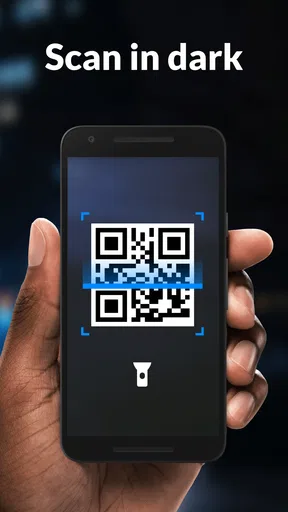
A scanner can feel unreliable even when the code itself is fine. Glare on a glossy label, a screen turned down too low, a code held at an angle, or a camera that has not focused yet can all get in the way. My first move would be to hold the phone steady and give the camera a moment, rather than sweeping it quickly across the code.
Distance matters too. If the code fills the camera view but looks blurred, backing away slightly can help the phone focus; if it appears tiny, moving closer may make it easier to read. For a code on another phone or computer, increasing the display brightness and avoiding reflections are simple checks worth trying before blaming the app.
The app’s appeal is straightforward: it is intended to handle QR codes as well as barcodes, so one tool can cover different kinds of quick scans. That does not mean every barcode will be useful in every situation. A scan can identify or open information, but the result still depends on what was encoded and whether the code is readable.
Setup checks before the first scan
First things first, downloading and setting up the app is a breeze. You can find it on both Android and iOS, so no worries about compatibility. Just head over to your app store, search for QR Code Scanner & Scanner App, and tap that download button. Before you know it, the app is all set up and ready to go.
Once you open the app, you'll notice a clean and simple interface. No clutter, no unnecessary buttons—just what you need. This makes it super user-friendly, and trust me, you won't need a manual to figure things out. It’s like they say, "less is more," and this app takes that to heart.
For Android, the listed minimum operating system is version 6.0, a useful compatibility check before installing on an older device. The app is free to download, is rated for Everyone, and lists in-app purchases at $4.99 per item. I’d check the purchase details in the app before confirming anything, especially if I only need basic scanning and do not intend to buy extras.
If the camera view does not appear, I would check the phone’s camera access settings for the app and make sure the lens is unobstructed. I would also close and reopen the scanner, then try again in steady light. These are ordinary camera-app checks, not a promise that every device problem can be fixed from inside the scanner.
Making the scan useful in everyday life
When I use a QR scanner for everyday errands, I find the real value is not just reading the pattern but keeping the next step clear: checking what the scan opened, or returning to a result when I need it. In this section, I’ll focus on small habits that make those moments smoother, especially when I’m scanning something in a hurry or sharing a code with someone else.
Features and practical workflows
Alright, let’s dive into the features. One of the standout aspects of this app is its lightning-fast scanning. Seriously, just point your camera at a code, and bam, it's scanned in seconds. This speed is perfect for when you’re in a hurry or dealing with multiple codes in a short time.
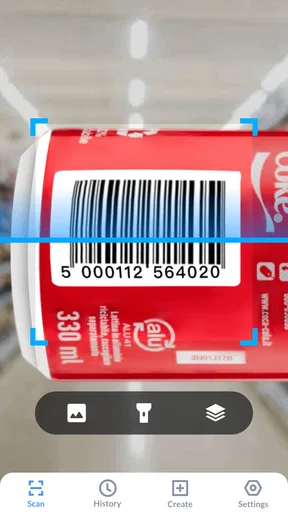
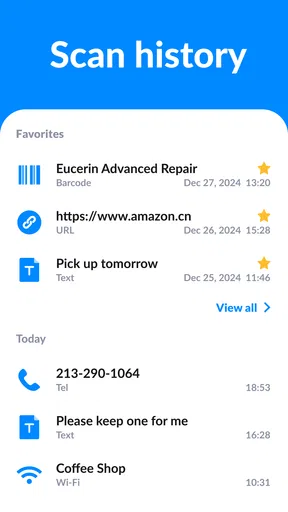
But wait, there’s more! The app doesn't just stop at QR codes. It also supports barcodes, which is a huge plus if you’re someone who shops online often or needs to scan product details. Plus, the app stores your scan history. You can easily access previously scanned codes without needing to rescan. Handy, right?
That history can be more than a convenience when I am comparing items: I can scan a product, put it back, and revisit the saved result while deciding what to check next. I would treat it as a reference to past scans, not as a complete shopping record. If a code points to a web page or product information, the destination may change or require a separate step to open.
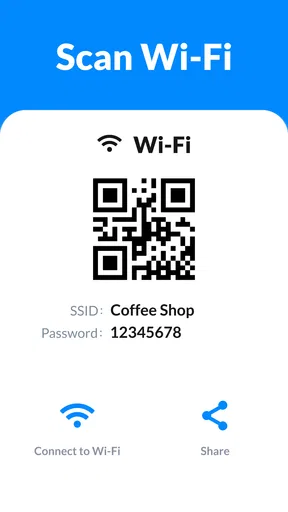
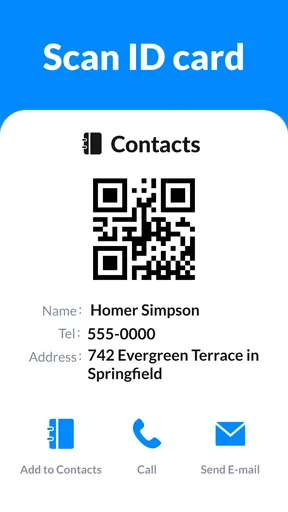
Another cool feature is the ability to create your own QR codes. Whether you need one for your website, contact info, or a Wi-Fi password, this app has got you covered. It’s a great tool for both personal and professional use.
Creating a code is most useful when I already know exactly what I want it to contain. Before sharing one, I would scan it myself and check that it leads to the intended information. That small verification step is especially sensible for a Wi-Fi code or contact details, where a typo can make the code inconvenient for everyone who tries it.
Choosing it over a camera shortcut
Many phones can recognize QR codes through a built-in camera or a system shortcut, so a separate scanner is not automatically necessary. If I only scan an occasional code and my camera already handles it reliably, the built-in option is the simpler choice: there is no extra app to open. This app is more appealing when I want QR and barcode scanning together, a place to revisit earlier scans, or a dedicated tool whose purpose is obvious.
Its scope is also a reason to skip it if I need a broader inventory or product-management workflow. A barcode scan alone should not be mistaken for a detailed product comparison service, and a QR reader cannot make an invalid or damaged code work. I would choose a specialized tool when the task involves organizing many items or managing records, rather than expecting a general scanner to do that job.
Performance and usability
In terms of performance, the app runs smoothly without any hiccups. I haven’t experienced any crashes or bugs, which is a major win in my book. It’s also pretty light on resources, so you can keep it on your phone without worrying about it hogging all your memory.
Usability-wise, the app is intuitive and straightforward. The buttons are well-labeled, and the icons are easy to understand. Even if you’re not the most tech-savvy person, you’ll have no trouble navigating through the app.
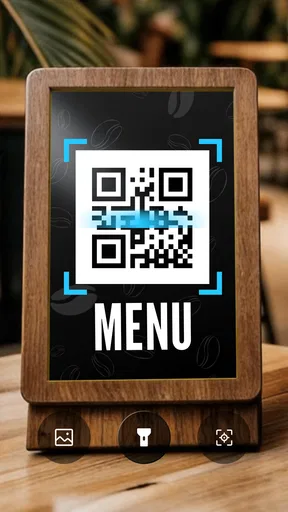
For a realistic use case, imagine scanning a QR code on a takeaway menu while a friend waits to order. I would open the scanner, hold the phone level, and give it a second to read the code; if nothing happens, I would adjust the angle and move away from the glare rather than repeatedly tapping the screen. Once the result appears, I can decide whether it is the page I expected before continuing. The app can read the code, but it cannot guarantee that a linked destination is trustworthy, so I would still use ordinary care before opening unfamiliar content.
Recovering a scan and knowing what is at fault
If a scan seems to disappear, I would first look through the scan history rather than scanning the same label repeatedly. That is a practical way to recover a result I already captured. For a code that refuses to read, I would check that the full pattern is visible, clean the camera lens, steady the phone, and try better lighting. If the same code also fails with another scanner, the printed or displayed code may be the problem rather than this app.
When a result opens incorrectly, I would separate the scanning step from the destination step. The scanner may have read the code successfully even if the linked page is unavailable, slow, or not what I expected. Retrying the scan can help with a missed capture, but it will not repair a broken destination or change information encoded into the original code.
The app is listed at version 1.6.6, and its scale is reflected in a 4.4 average from around 493,000 ratings, with more than 100 million installs. Those figures make it a widely used option, though they do not tell me how it will behave on every phone or in every lighting condition. I’d still judge it by whether it handles my own routine scans comfortably.
Who will get the most from it
I can see this being useful for someone who regularly scans menus, labels, tickets, or contact and Wi-Fi codes, and who likes having past scans available in one place. It also suits people who want to make a QR code without switching to a separate kind of utility. The combination is convenient for mixed, small tasks rather than a specialized business process.
On the other hand, someone who only scans a code now and then should try the phone’s built-in camera first. A user who needs guaranteed access to a particular destination, extensive cataloguing, or a record-keeping system should look for a tool designed around that job. The scanner’s value is convenience, not a substitute for checking the content or managing what happens after a scan.
My practical verdict
So, why give the QR Code Scanner & Scanner App a shot? Well, if you’re someone who frequently encounters QR codes or needs a reliable scanner, this app is a top contender. Its fast scanning, support for both QR codes and barcodes, and the ability to create your own codes make it a versatile tool.
Moreover, the user-friendly interface and smooth performance mean you won’t be pulling your hair out trying to get it to work. It’s one of those apps that does exactly what it promises, no more and no less. And in this age of over-complicated apps, that’s a refreshing change.
It is free to download and developed by QR Code Scanner, with paid in-app items listed separately. That makes it easy to try, but I would not assume every optional item is necessary for ordinary scanning. If I wanted a dedicated place for QR and barcode tasks, I would give it a try; if my phone camera already covers my needs, I would stick with that and avoid adding another app.
Alright, folks, that’s my take on the QR Code Scanner & Scanner App. If you’re in the market for a reliable scanner app, give this one a whirl. It’s free to download, so you’ve got nothing to lose and everything to gain. Happy scanning!
Verdict
Strengths of QR Code Scanner & Scanner App
- Fast and accurate QR scanning.
- User-friendly interface design.
- Supports multiple code formats.
- Minimal ads for free version.
- Offers batch scanning feature.
Limitations of QR Code Scanner & Scanner App
- Limited customization options.
- No cloud storage integration.
- Occasional app crashes reported.
- Some features require premium.
- Limited language support.
Other Releases by QR Code Scanner.
View All
All Video Downloader & Player
Tools4.5

Document Reader & PDF Editor
Productivity4.5

PDF Reader - PDF Viewer
Productivity4.3

Ringtones for Android Phone
Music & Audio4.8
Similar Picks in This Category
View All
Google LLC4.0

Gboard - the Google Keyboard
Google LLC4.5

Google Play services
Google LLC4.3

Google Play Store
Google LLC4.9

Files by Google
Google LLC4.5

SHAREit: Transfer, Share Files
Smart Media4U Technology Pte.Ltd.4.3
Frequently Asked Questions
What are the main features of the QR Code Scanner & Scanner App?
The QR Code Scanner & Scanner App offers a range of features, including quick scanning capabilities for a variety of QR codes, barcode scanning, and support for multiple formats. It also provides history tracking for past scans, an option to generate QR codes, and a user-friendly interface that makes navigation simple and efficient.
Is the QR Code Scanner & Scanner App secure to use?
Yes, the app is designed with security in mind. It does not require unnecessary permissions and ensures that your data is not stored or shared without consent. Additionally, it scans QR codes safely by warning users if a scanned URL is potentially harmful or suspicious.
Does the QR Code Scanner & Scanner App require an internet connection?
The app does not require an internet connection for basic scanning of QR codes and barcodes. However, an internet connection is necessary if you need to access online content from a QR code or if you intend to use the QR code generator feature to share codes online.
Can the QR Code Scanner & Scanner App scan all types of QR codes?
The app is capable of scanning a wide variety of QR codes, including those that link to websites, contact information, Wi-Fi networks, and more. It also supports various barcode formats, making it versatile for different scanning needs. However, its performance may vary depending on the quality of the code's print or display.
Is the QR Code Scanner & Scanner App free to use?
The app is available as a free download, offering essential scanning functions at no cost. There may be in-app purchases or ads for additional features or an ad-free experience. Users can choose to upgrade to a premium version if they require more advanced functionalities or prefer a seamless interface.
